Companion files · free
You can build this.
Your own AI command center on Hermes, one small step at a time. Free files for the book.
Get the files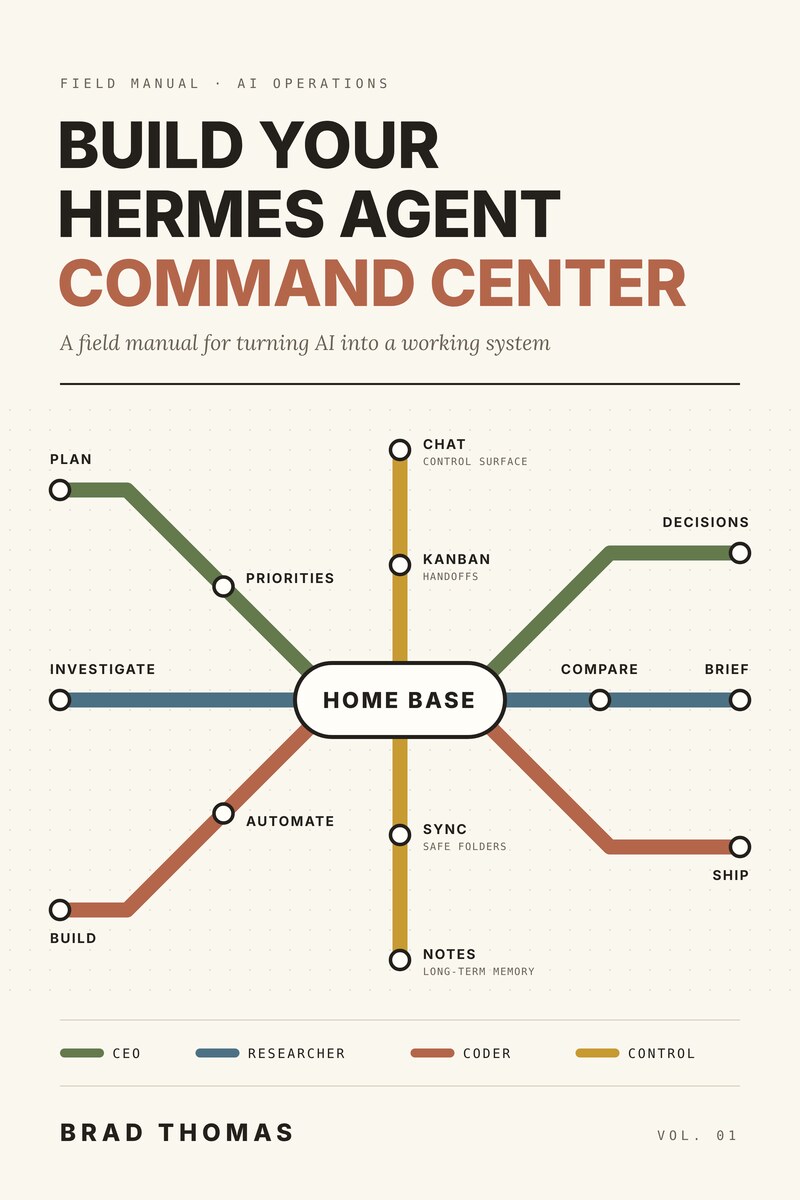
Setting up an AI agent sounds like a weekend of guesswork.
It isn't, when every step ends in a check you can run.
The Ubuntu install alone is 25 small steps, 5 checkpoints, and one final gate before you add anything else.
Six stops between you and a working setup.
-
Ch. 2 & 3
Plan
Pick your machine, your profiles, and your folders before you install anything.
-
Ch. 4 to 6
Install
Ubuntu, Windows with WSL, or macOS. Every step ends in a check you can run.
-
Ch. 7
Profiles
A CEO, a Researcher, and a Coder, each with one clear job. Start with just the CEO if you like.
-
Ch. 8
Chat
Each profile gets its own bot and its own channel, so you can talk to it from your phone.
-
Ch. 9
Handoffs
The CEO passes work to the others on a kanban board, and you approve what comes back.
-
Ch. 11
Backups
Nightly backups and safe updates, so nothing you build gets lost.
Six stops. Then it all connects.
Your command center, built by you.
Every line on the cover ends here. The book walks each stop with you, and the files keep every command in reach.
Everything you'd otherwise retype.
Plain Markdown files with every command, prompt, checklist, and template from the book. Open them in any text editor or notes app.
hermes-command-reference.mdEvery command in the book, by chapter and operating system.profile-prompts.mdCEO, Researcher, and Coder missions, team awareness, and handoff rules.validation-checklists.mdThe checkpoints from each chapter, ready to tick off.setup-planning-worksheet.mdThe decisions to make before you install anything.handoff-templates.mdBriefs and reports for passing work between profiles.activity-log-template.mdPlain-text formats for logging what your agents did.weekly-review-template.mdA short weekly check on how the system is running.README.mdWhere to start, and the safety rules for the whole pack.version-history.mdWhat changed in each version of the pack.
Pack v0.7 draft
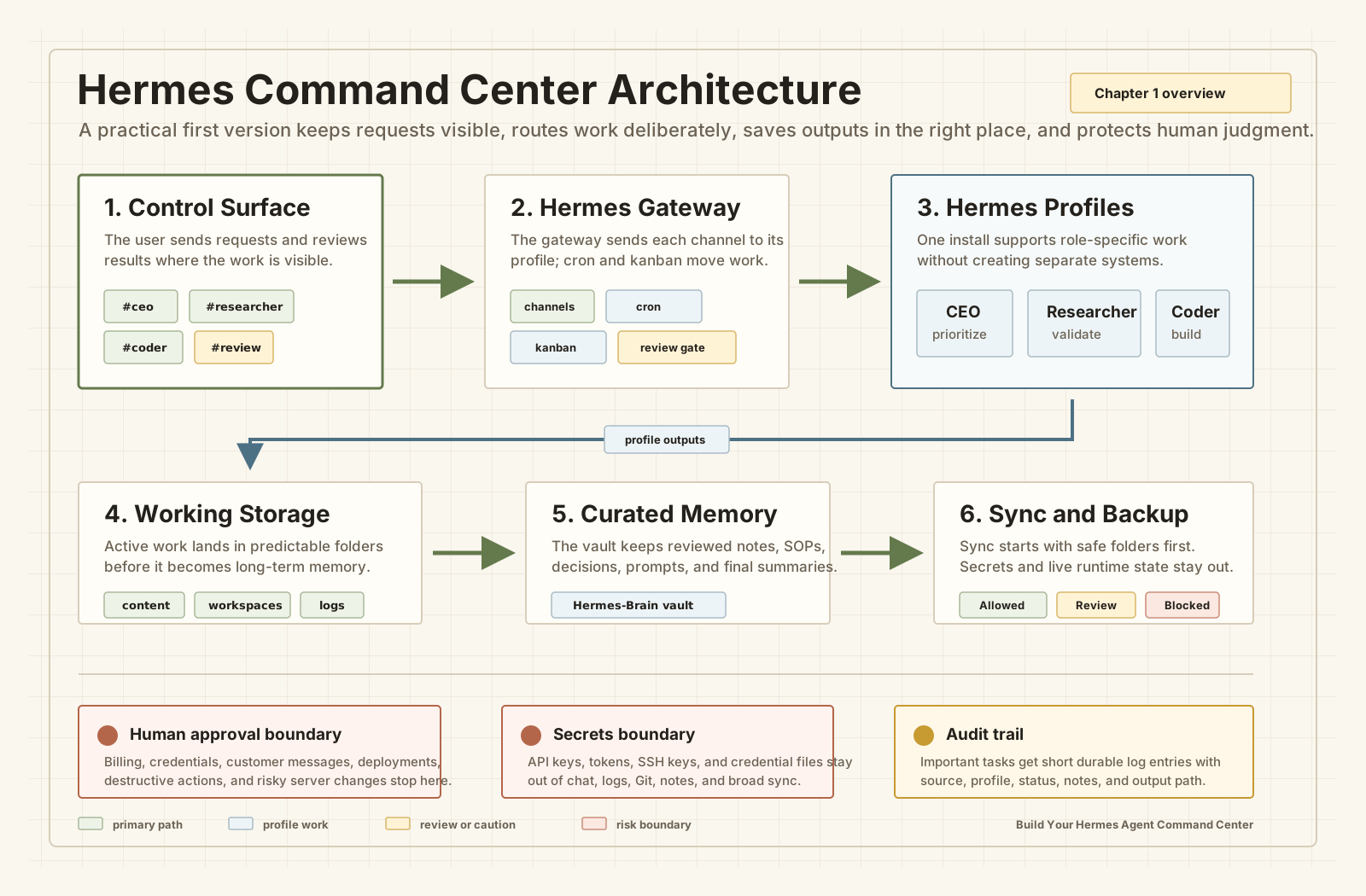
Last stop
Get the files
Enter your email and I'll send you the link. Click it to confirm your address, and the files open.
Check your inbox.
The link is on its way to . Click it to confirm, and the files open.
Nothing after a few minutes? Check spam, or sign up again with the right address.